Introduction
React applications that adapt to multiple languages typically depend on translation systems to present text in the user's locale. However, even with such mechanisms in place, strings written directly in component code can slip past reviews. When these untranslated elements surface in a released product, they break the expected multilingual experience. This post examines how to catch them early.
What Happened
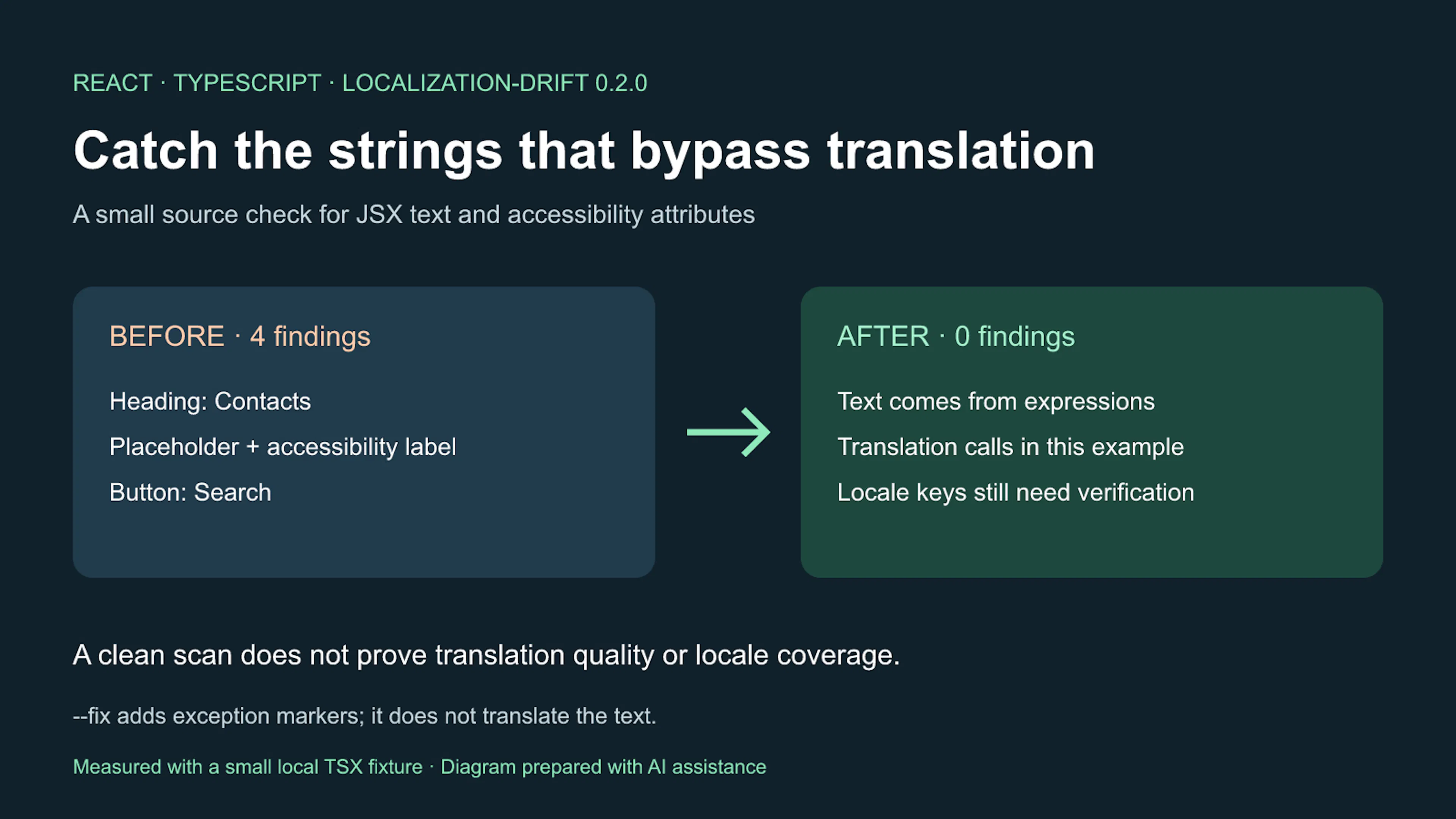
A React component may include strings such as placeholder text, accessibility attributes, and button labels that are authored inline. When a translation layer gets added, these hardcoded pieces often escape notice because evaluation priorities center on functionality rather than content. The article illustrates a test fixture with several representative strings—an input placeholder, an aria-label, a heading, and an interactive button—and demonstrates how a specialized scanner identifies each one, flagging their locations and triggering a non-zero exit code.
- The scanner locates hardcoded text within placeholders, labels, and clickable elements.
- Findings surface the heading, placeholder text, accessibility label, and button component.
- Exit code 1 indicates untranslated strings were found; exit code 0 means the scan completed cleanly.
Why This Matters
When text remaining in the source language reaches users across locales, it causes confusion, appears unpolished, and can interfere with assistive technologies. Such oversights may also conflict with accessibility standards or regional compliance rules. Identifying and resolving these issues early reduces rework, preserves brand coherence, and ensures every language variant of the product feels intentional.
Key Takeaways
Swap literal strings in JSX for calls to the application's translation function, even if that function is provisional during development. Incorporate the scanner into local workflows and continuous integration so that new hardcoded text produces an immediate signal. Apply exception annotations only for genuinely intentional content, such as legally protected brand names, and steer clear of broad allowlists that mute more alerts than necessary. Begin by scanning a single directory, reviewing the output, and expanding the check as the team acclimates to the feedback cycle.
- Replace inline literals with translation function invocations.
- Integrate the scanner into both local and CI pipelines.
- Limit exceptions to verified, purposeful text.
- View the check as a safety net, not a replacement for human oversight.
Conclusion
Hardcoded text embedded in React components is a frequent blind spot, yet it need not remain permanent. By embedding small, predictable verifications into the development routine, teams can keep newly introduced untranslated strings visible while maintaining translation quality as an ongoing commitment. The objective is not to automate the entire localization process, but to guarantee that every visible word is deliberately selected and intentionally placed.




Discussion
Join the conversation
Thoughtful reactions, questions, and follow-up ideas help shape the next story.